pdfMachine: Virtual printer PDF creation and automation for businesses
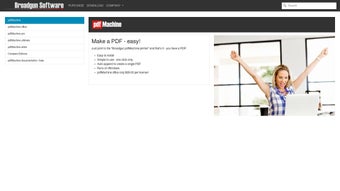
pdfMachine by Broadgun Software is a Windows document-management tool that converts printable output into PDF files for business workflows. It installs as a virtual printer so users print to 'Broadgun pdfMachine' to generate PDFs, then apply editing, OCR, encryption, mail-merge, or automated delivery. Key capabilities include in-document editing, 128-bit encryption, PDF/A archival support, and parameter parsing for automation. The tool targets business professionals, administrative staff, and IT teams handling invoices and reports.
Top Recommended Alternative

pdfMachine acts as a system-level PDF printer for on-demand document production
The application installs as a virtual printer driver and appears in the Print dialog as 'Broadgun pdfMachine.' From any Windows program that supports printing a PDF can be produced by selecting that printer, avoiding export or conversion steps. Microsoft Office integration is available via add-ins that support Office editions back to 2000, which helps teams embed PDF output into existing word-processing and reporting workflows.
Editing, OCR, and archival tools enable controlled document handling
The tool offers inline text and image editing, page rearrangement, annotations, sticky notes, and voice comments so documents can be corrected or annotated after creation. OCR converts scanned pages into searchable text and PDF/A export supports long-term archival requirements. These capabilities map to compliance and record-keeping tasks in finance, legal, and administrative roles that require searchable, verifiable documents.
Parameter parsing and mail-merge reduce manual steps in distribution workflows
pdfMachine supports parameter parsing that accepts external text commands to control naming, saving, and emailing behavior, and it integrates mail merge with Microsoft Word to produce personalized PDFs. That combination lets automated systems and office routines hand off routine decisions to the printing pipeline, which is useful for automated invoice generation and scheduled report distribution driven by ERP or document systems.
Performance and interface choices suit operations-focused deployments
The application maintains a small system footprint and runs acceptably on standard business hardware, with compatibility across desktop and server Windows editions. Reports indicate reliable behaviour during batch tasks, while the interface retains a conventional, utilitarian layout rather than a modern design-forward shell. This alignment makes pdfMachine well suited to back-office teams that prioritise throughput and predictable output.
pdfMachine fits operational teams that need dependable PDF tooling and scalable deployment
pdfMachine is a practical option for administrative staff and IT departments that require dependable PDF production and scalable configuration. Broadgun Software's long track record in PDF technology and its partner presence in Europe suggest an orientation toward business integration. Organisations should match one of the available editions to their automation and compliance needs and run a short pilot before broad roll-out.